WeChat Channel
With Boei, you can create a WeChat button widget for your website within minutes. It is super simple!
This is how it will look like:

How to get there: Go to Setup → Widget in the top menu → click your widget → click Add Channel and select WeChat.
Installation
Step 1. Install Boei on your website
See Installation Guides.
Step 2. Get your WeChat QR Code
Scanning someone's QR code is the fastest way to add them as a contact on WeChat.
To show your own QR code: From the Me tab, tap your avatar, then My QR Code.
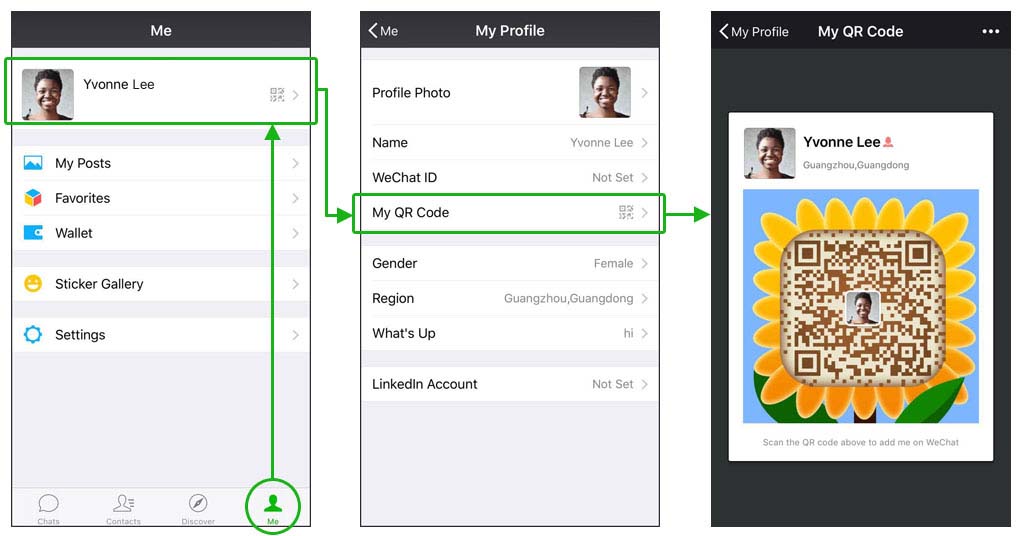
Note that a group QR Code is valid for 7 days once created. Personal ones are valid indefinitely.
Step 3. Add WeChat channel in Boei
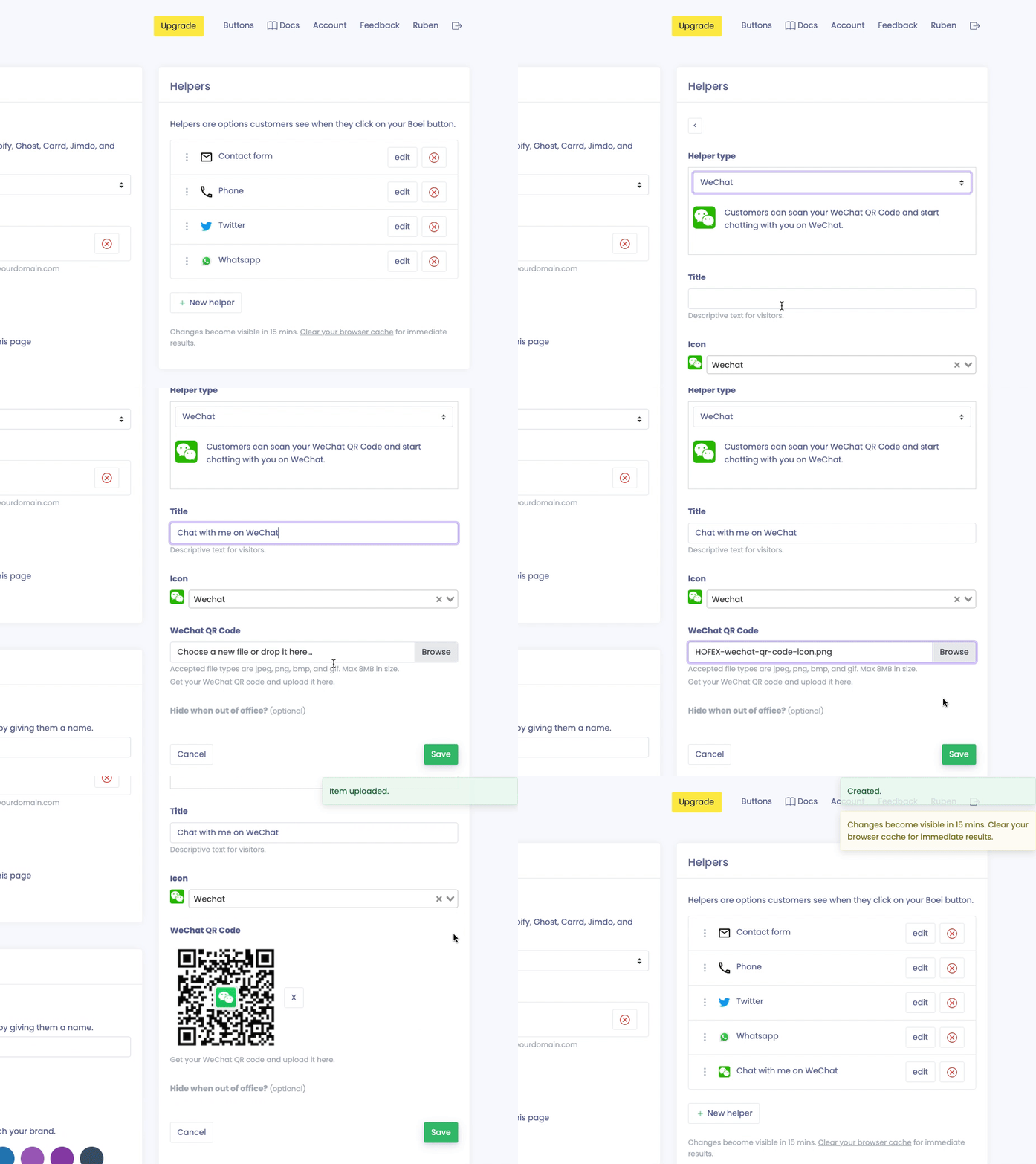
Create a new channel in Boei for WeChat. Here you can upload the QR code that you got from WeChat.
This is how it will look like:
Options
Open in new window
When people click the channel, the page will be loaded in a new window.
Hide when out of office
You can hide this channel when you are out of office. This helps to reduce messages when you are not available. Learn more about business hours.