AI Agent Insights
See how your AI agent handles customer conversations, what it resolves, and what needs your attention.
How to get there: Click Insights in the top menu. Make sure AI agent is selected in the toggle.
Result summary
At the top you see a headline showing how many customer requests your agent resolved. Below that:
- Conversations in the selected period.
- Contacts captured through lead flows or conversation details.
- Appointments booked through calendar integrations.
- Handoffs where a human agent took over.
The resolution ring on the right shows the percentage of conversations that were resolved.
What to do next
Alongside the outcome analysis, you may see recommendations based on your data:
- Questions your agent could not answer starts with conversations explicitly classified as unresolved. Similar questions are grouped by their assigned topic, with the latest customer wording as an example. Open all matching conversations or add the missing knowledge directly. Add a text snippet, webpage or file, or update a FAQ in Knowledge. After knowledge is added, the addressed suggestion disappears while the historical conversation remains unresolved.
- Capture opportunities suggests adding a lead flow if conversations are not converting to contacts.
These recommendations appear only when the data supports them. They disappear when there is nothing actionable.
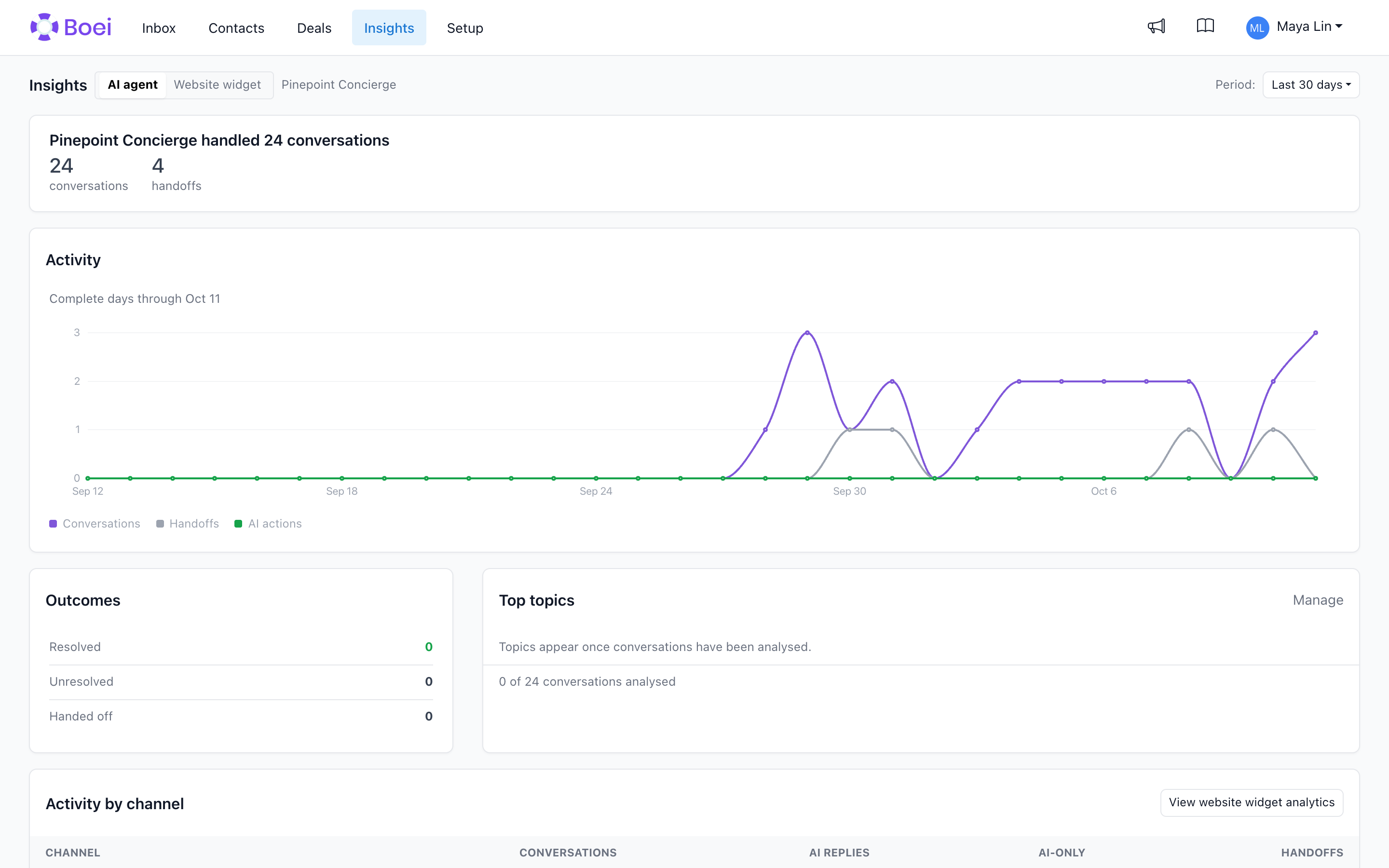
Activity chart
Shows conversations and handoffs over time. Use this to spot trends or unusual spikes.
The chart counts complete days only, so it stops at yesterday and says so underneath ("Complete days through ..."). Today is still running, so a bar for it would always look like a sudden drop. The numbers above the chart do count today. Pick the period "Today" when you want to see today on its own.
Outcomes
A breakdown of conversation resolution:
- Resolved means the customer's request was fulfilled.
- Unresolved means the request was not completed.
- Handed off means a human agent took over.
- Processing means the conversation has ended but its analysis is not ready yet.
- Not classified means the analysis could not determine an outcome, either because there was not enough evidence or the analysis failed.
Active conversations are not included in Outcomes because they do not have an outcome yet. Resolution is determined by the AI during conversation post-processing. A confirmed booking or completed task counts as strong evidence for resolved. Escalation to a human is always handed off.
Activity by channel
Shows how conversations are distributed across Website, WhatsApp, Email, and other channels. For each channel you can see conversations, AI replies, AI-only conversations (handled without human help), and handoffs.
Website outcomes
If your agent handles website conversations, this section shows which pages produced the most conversations, contacts, and deals. Click "View website analytics" for the full page-level breakdown.
Lower sections
- Work completed shows appointments booked and contacts captured by the agent.
- Top topics groups conversations into stable customer-intent topics. Click a topic to inspect those conversations in Inbox. Owners can manage the catalog, add their own topics, rename, merge, archive, and choose between automatic AI-created topics or a controlled catalog where AI only assigns the topics they define.
- Outside 09:00-17:00 shows how many conversations happened outside business hours.