Signal Channel
With Boei, you can create a Signal button widget for your website within minutes. It is super simple!
This is how it will look like:

How to get there: Go to Setup → Website widget in the top menu → click your widget → click Add Channel and select Signal.
Installation
Step 1. Install Boei on your website
See Installation Guides.
Step 2. Get your Signal username or phone number
Create an account on Signal if needed.
Step 3. Add Signal channel in Boei
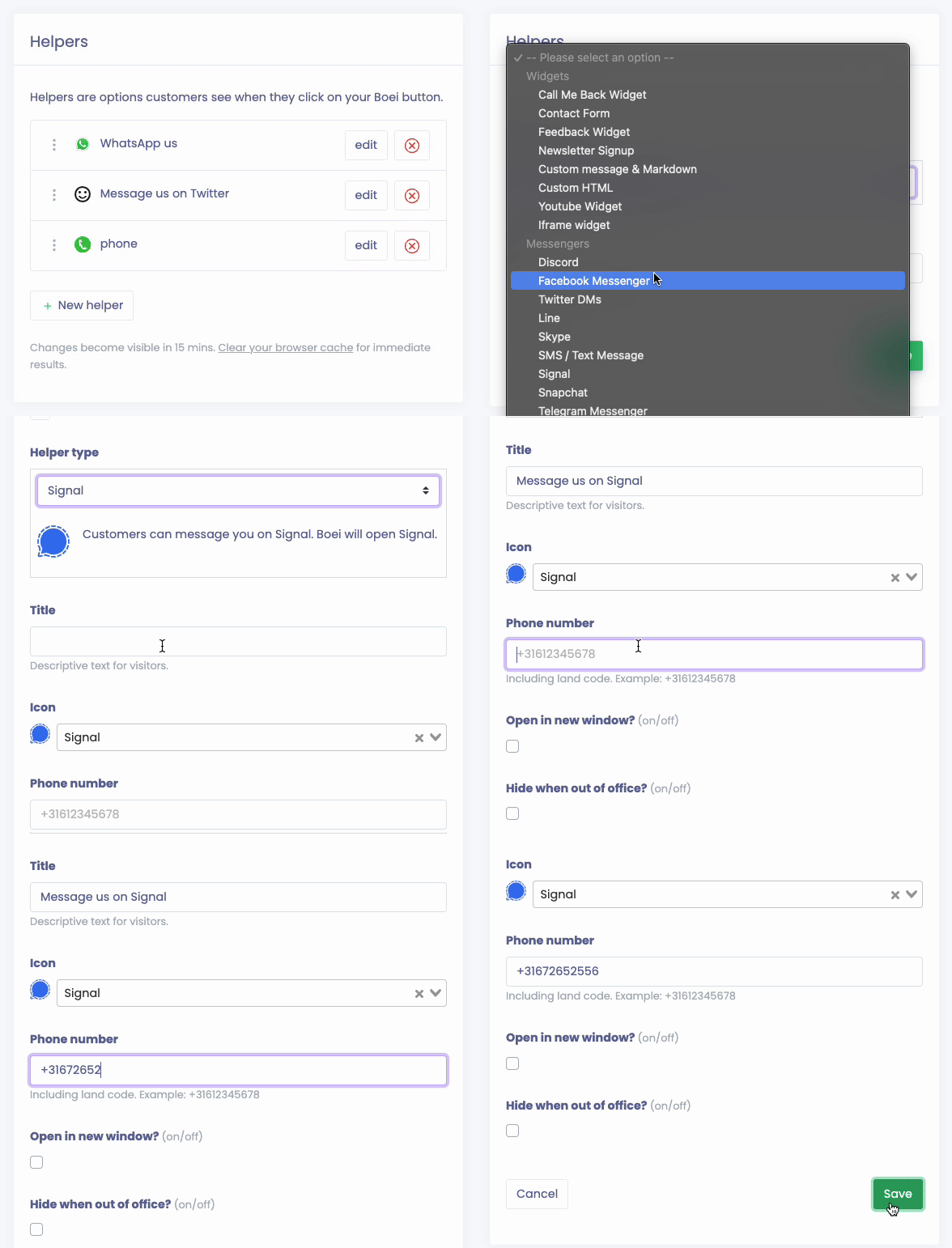
Create a new channel in Boei for Signal. This is how you do it in Boei:
Options
Open in new window
When people click the channel, the page will be loaded in a new window.
Hide when out of office
You can hide this channel when you are out of office. This helps to reduce Signal messages when you are not available. Learn more about business hours.