Discord Channel
With Boei, you can create a Discord button widget for your website within minutes. It is super simple!
How to get there: Go to Setup → Website widget in the top menu → click your widget → click Add Channel and select Discord.
Installation
Step 1. Install Boei on your website
See Installation Guides.
Step 2. Open Discord and go to invites
Open Discord, click the gear-icon next to the channel you want to use and go to Invites.
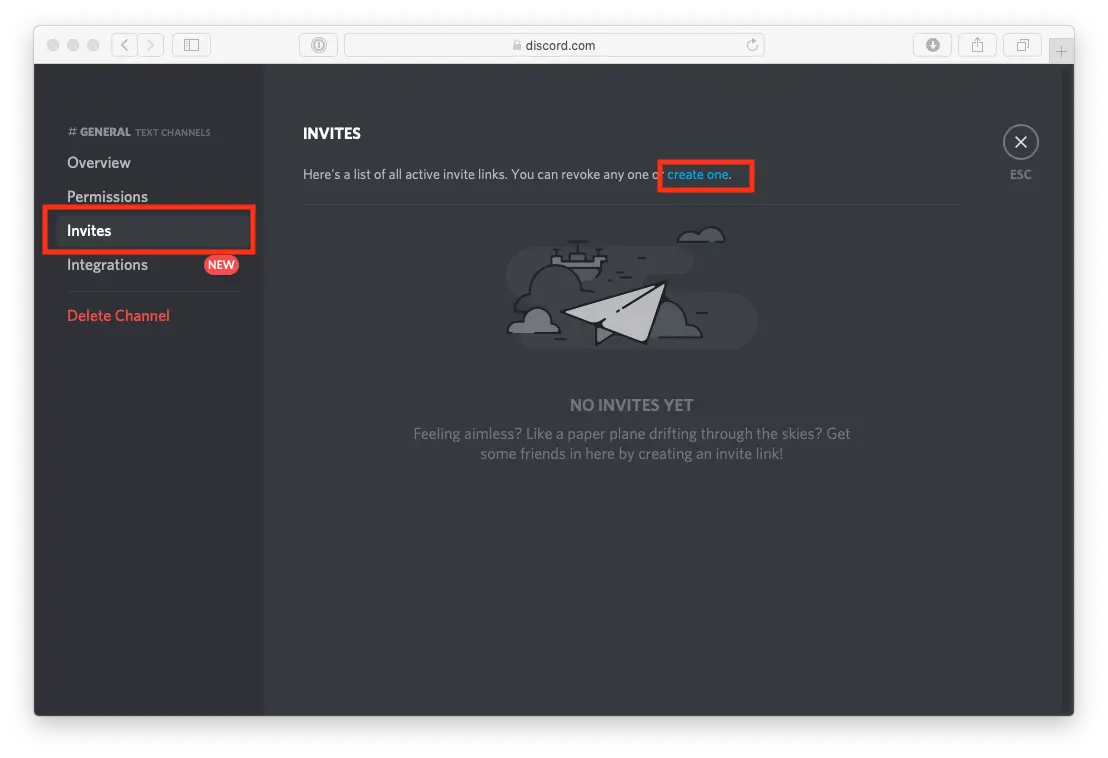
Step 3. Create a never expiring invite for Boei
Create a new invite and ensure that you click the checkbox next to "Set this link to never expire".
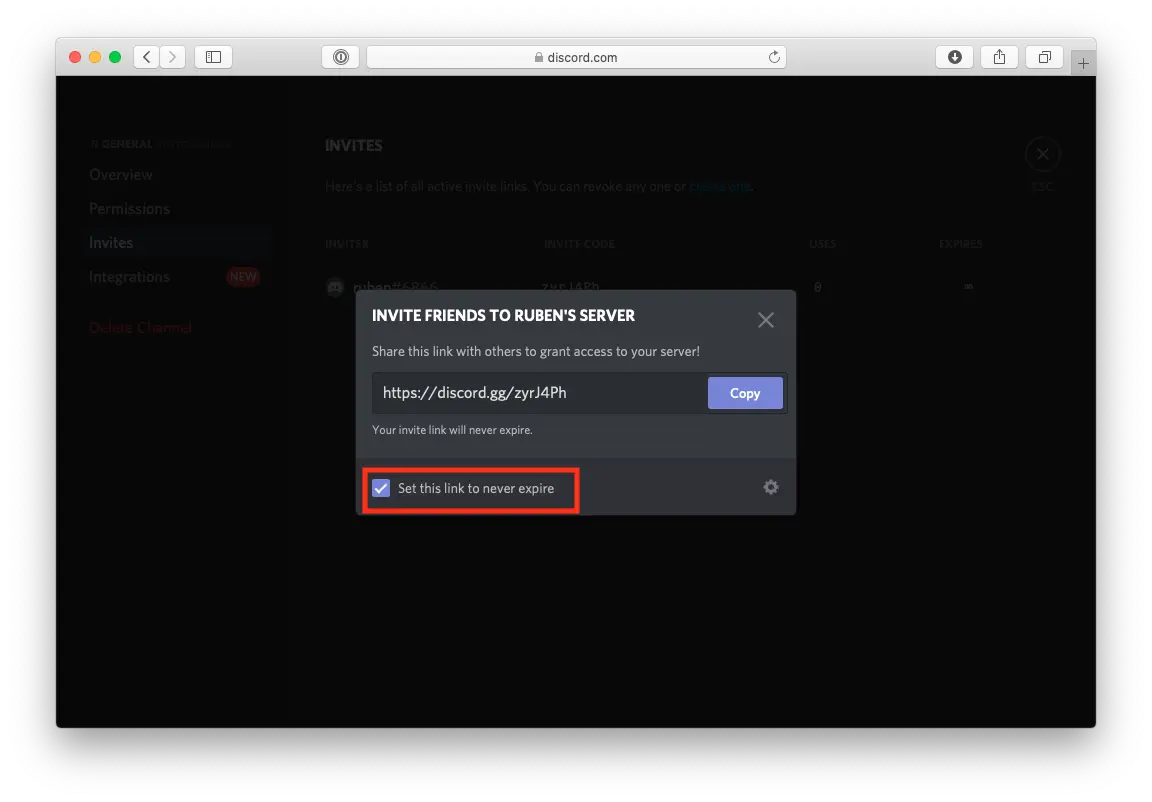
Step 4. Copy invite code to Boei and test
You now get an Invite URL from Discord. Copy-paste the part after discord.gg/ to your Boei channel setup.
Give it a test to see if everything is set up correctly.
Done!