BotStar Channel
Boei can easily be connected to BotStar. It is super simple!
This is how it will look like:
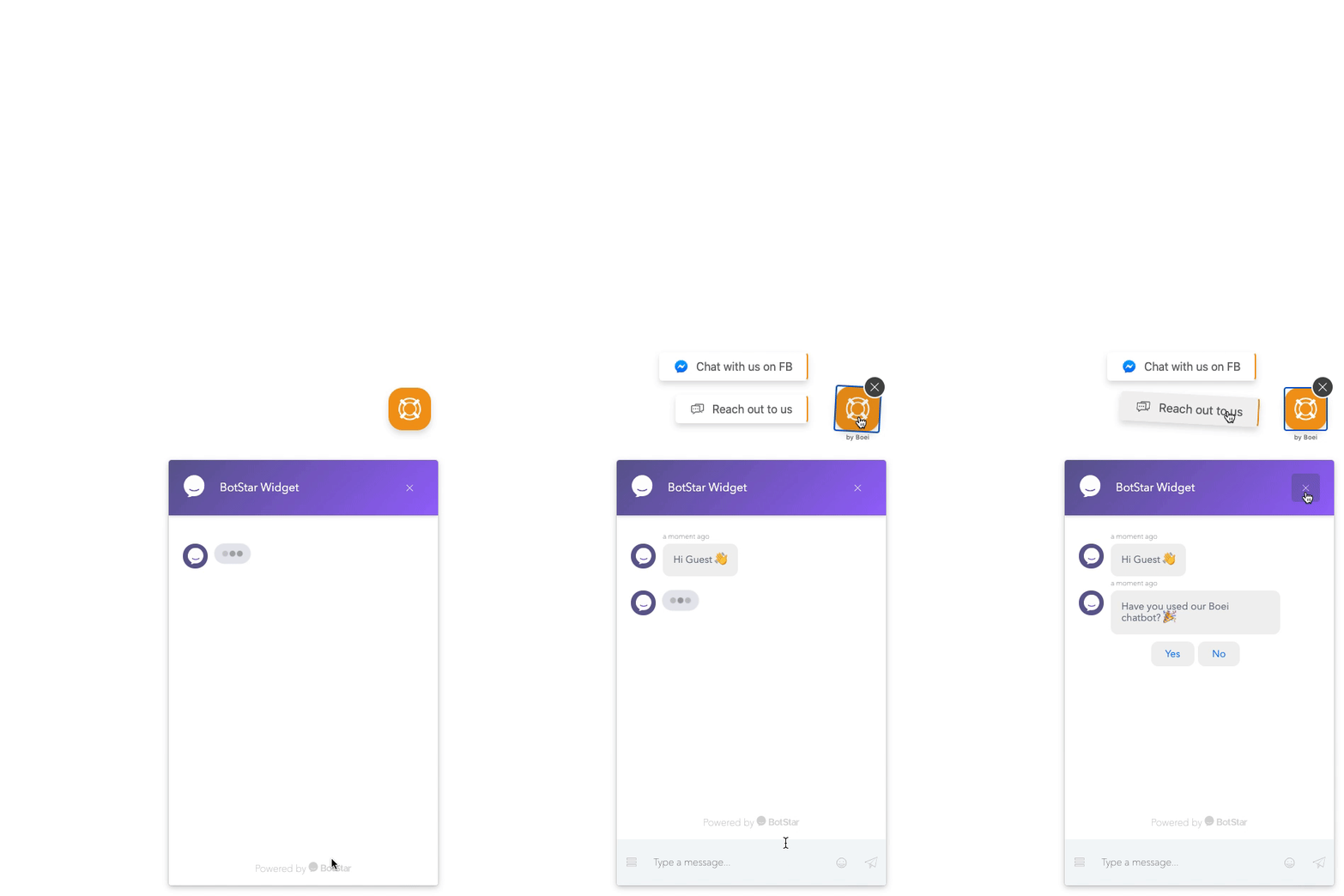
How to get there: Go to Setup → Website widget in the top menu → click your widget → click Add Channel and select BotStar.
Step 1. Load BotStar
Keep your BotStar embed code installed on your site. You can check that it works when you (temporarily) remove the Boei embed code because when Boei "sees" BotStar, it will automatically hide it.
You probably need to change your current embed code for BotStar a bit. BotStar can be loaded in multiple configurations (LiveChat, Inline, etc).
To make it most simple, please use the following HTML code for loading BotStar:
<script>var BotStar={appId:"BOTSTAR_APP_ID",mode:"livechat"};!function(t,a){var e=function(){(e.q=e.q||[]).push(arguments)};
e.q=e.q||[],t.BotStarApi=e;!function(){var t=a.createElement("script");
t.type="text/javascript",t.async=1,t.src="https://widget.botstar.com/static/js/widget.js";
var e=a.getElementsByTagName("script")[0];e.parentNode.insertBefore(t,e)}();}(window,document)</script>
<script async defer src="https://cdn.boei.help/hello.js"></script>
If the above code does not work, this can be because BotStar adjusted their API integration with newer bots. Please try this instead:
<script>var BotStar={appId:"BOTSTAR_APP_ID",mode:"livechat"};!function(t,a){var e=function(){(e.q=e.q||[]).push(arguments)};e.q=e.q||[],t.BotStarApi=e;!function(){var t=a.createElement("script");t.type="text/javascript",t.async=1,t.src="https://widget.installchatbot.com/static/js/widget.js";var e=a.getElementsByTagName("script")[0];e.parentNode.insertBefore(t,e)}();}(window,document)</script>Please change BOTSTAR_APP_ID with your App ID.
Step 2. Turn off welcome messages
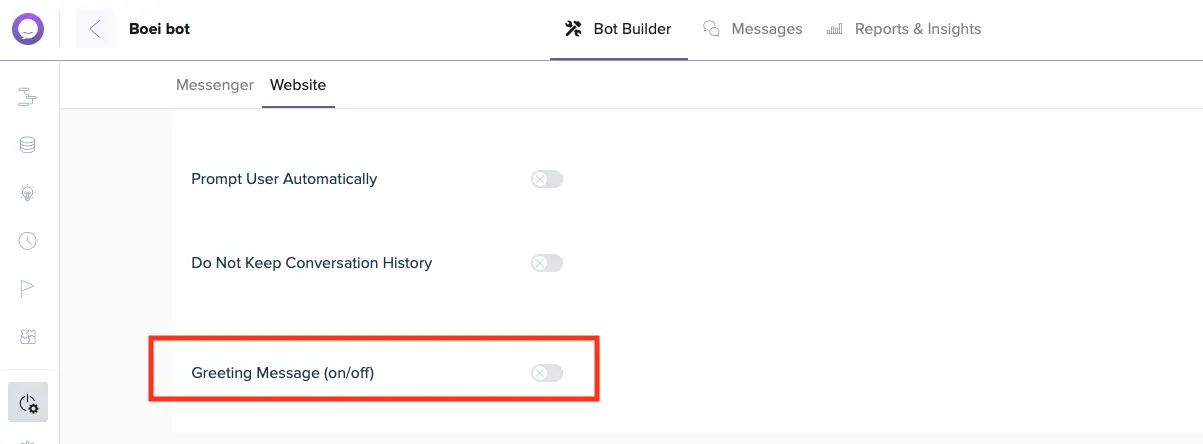
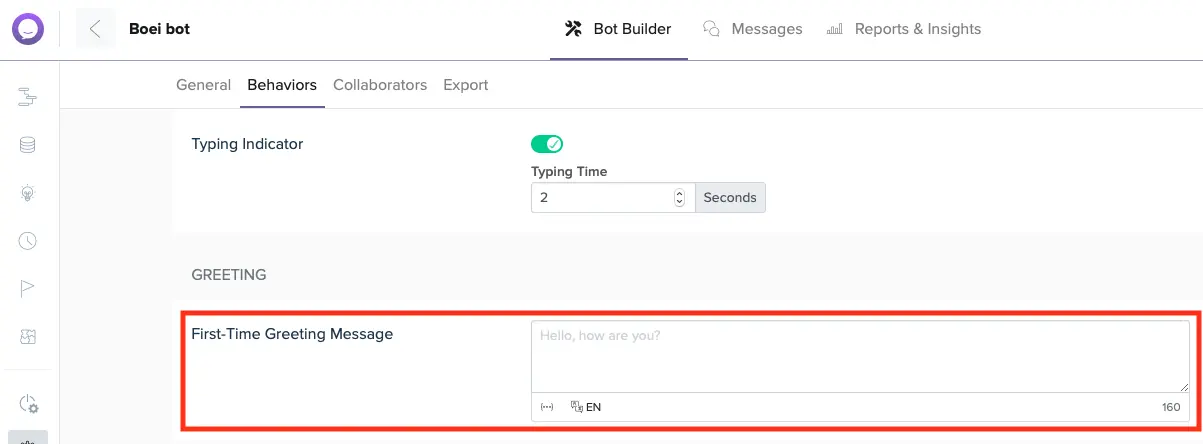
Ensure to turn off welcome messages in BotStar. These prevent customers from interacting with Boei. Also, Boei already has a welcome message that you can use.
Greeting messages
If applicable, turn off the greeting messages:
First-time messages
If applicable, turn off first-time messages:
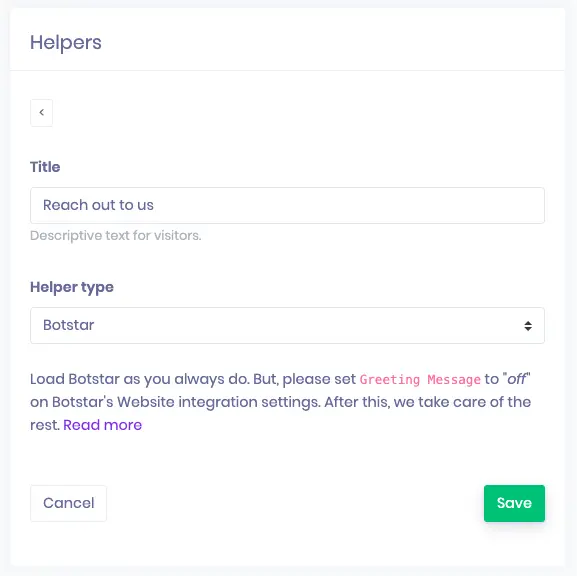
Step 3. Create a BotStar channel in Boei
Add a new channel with the type BotStar.
Give it a test to see if everything is set up correctly.
Done!